
Windows 10 End of Support
Please enter your name and property information below. We'll call you to review your system and an upgrade approach.
Have another question?
Call our Support Team at 866.476.1873
Get to Know TouchSource Spark PX Platform
Did you know? Our Spark PX platform enables you to easily manage and update content for all of your properties at once. Furthermore, the newly upgraded Account Library in Spark PX gives you full control over your digital assets—so Marketing, Property Management, and other departments can work together seamlessly. From drag-and-drop uploads to one-click integration with slideshows, your media library is about to become your biggest time-saver.
What's New:
- Smart Folder Hierarchies – Organize and prioritize content in folders that scale with your needs
- Bulk Upload & Download – Easily manage large volumes of files
- Advanced Search – Find what you need, fast
- Multi-Team Collaboration – Share libraries across departments
- Direct Slideshow Integration – Push content straight into system playlists

What's New?
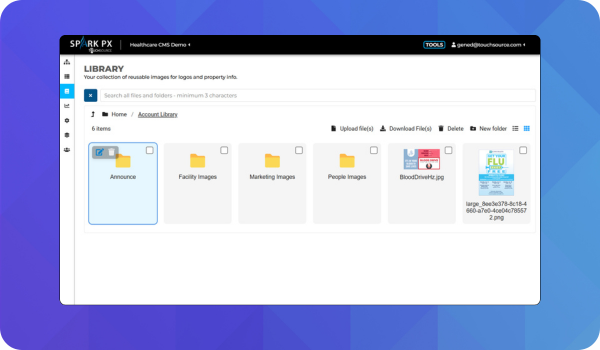
Organize display content options with ease
For high-volume properties and campuses as well as large, multi-property portfolios, teams need fast access to accurate content, and simple methods to upload and publish their contributions to informative slideshows. The Account Library gives Facility Management, Marketing, and other departments a shared workspace to separate and prioritize diferent content based on different needs.
Coordinate ad campaigns and content across multiple properties and sites
Marketing and Property Management teams can now jointly manage ads and promos for their properties using folder-based libraries tailored to campaigns.
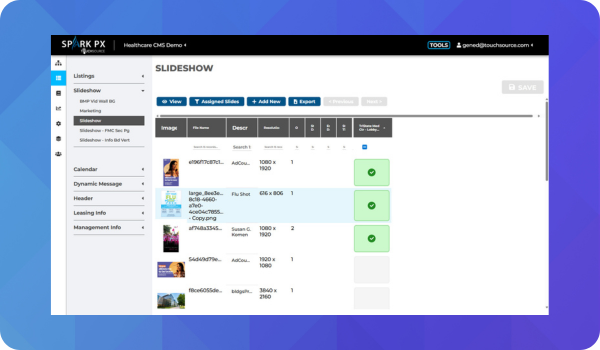
.jpg?width=1920&name=AccountLibraryRetail13-AddToSlideshow2%20(1).jpg "AccountLibraryRetail13-AddToSlideshow2 (1)")
Add media straight into slideshows
Images and videos from both Account and Stock libraries are instantly deployable when you need them. Drag in your seasonal ad creatives, assign them to content loops, and push updates directly to slideshows — all without leaving the portal.